Getting started
View as MarkdownIntroduction
What Takahe is, how teams, projects, lists, tasks and time fit together, and where to go next.
Takahe is a project management and time tracking app for freelancers and small teams. You plan your work as tasks, track the time you spend on them, and see what that time is worth, all in one place. You can also connect AI agents such as Claude, Codex or Cursor, so they can pick up tasks and report back next to the people on your team.
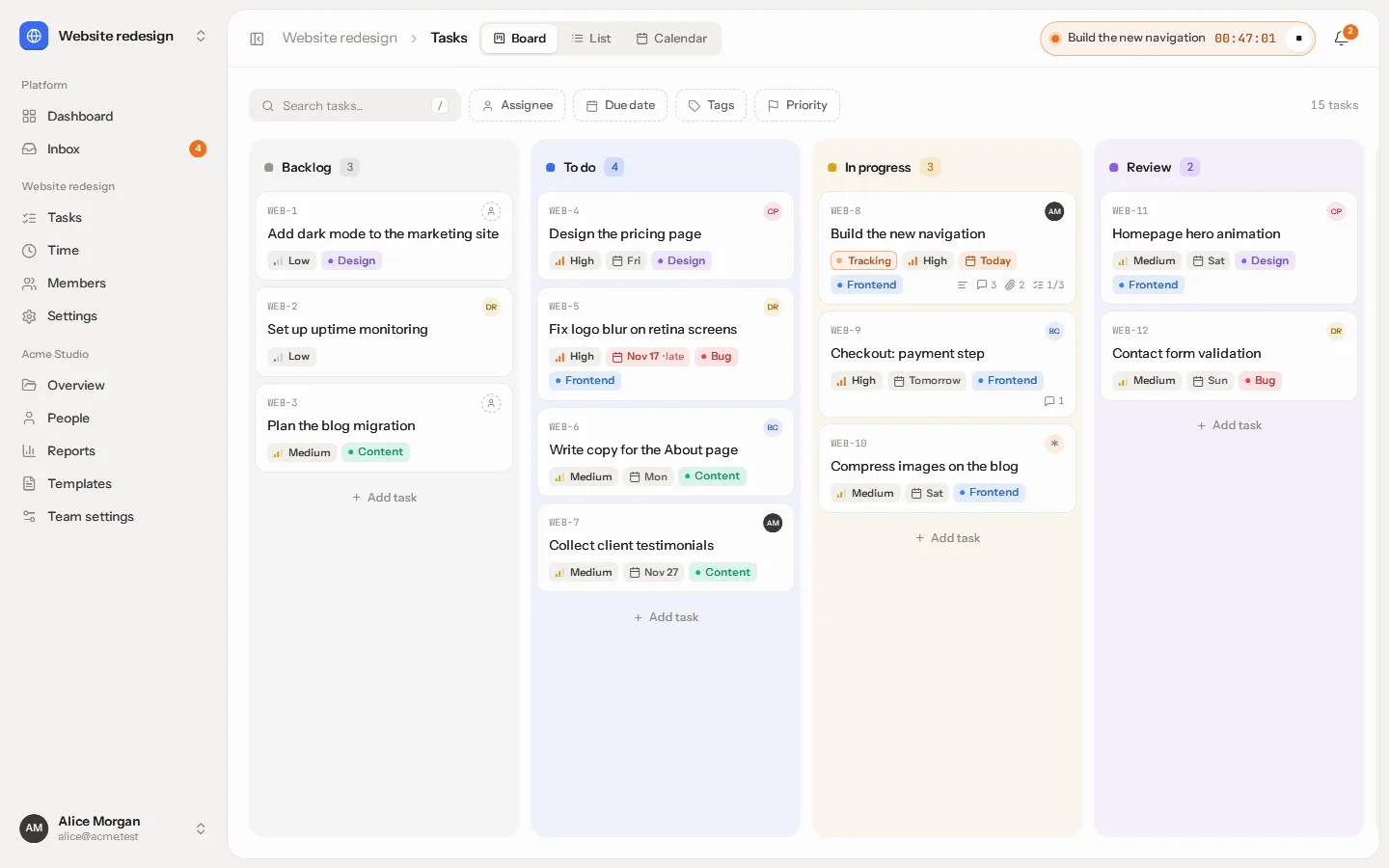
This page explains the building blocks Takahe uses and how they fit together.
How Takahe is organized
Everything in Takahe nests inside a team:
- Team: the company or customer you work for or with, for example "Acme". A team holds its projects, its people, its project templates and its default rates.
- Project: a piece of work, for example "Website redesign". Each project has members, settings and an optional budget.
- Lists: the columns of the project's board, for example "To do", "Doing" and "Done".
- Tasks: the actual work items. Each task gets an ID made from the project's prefix and a number, such as
WEB-12.- Subtasks: smaller steps inside a task. Subtasks go one level deep.
- Tasks: the actual work items. Each task gets an ID made from the project's prefix and a number, such as
- Lists: the columns of the project's board, for example "To do", "Doing" and "Done".
- Project: a piece of work, for example "Website redesign". Each project has members, settings and an optional budget.
Time entries sit next to this structure. Each entry belongs to one person and one project, and usually to a task.
Teams
A team is the boundary between customers and companies. People and projects in one team never see another team's work. Every account starts with a personal team, and you can create or join as many other teams as you need. See Teams.
Projects
A project lives in exactly one team. Only the project's members can open its tasks. Each project has a short prefix, such as WEB, that numbers its tasks WEB-1, WEB-2, and so on. See Projects.
Lists, tasks and subtasks
Lists group tasks inside a project. You can look at the same tasks as a board, a list, a calendar or a timeline. A task can have an assignee, a due date, a priority, an estimate, a description, comments and files. See Tasks and Board, list, calendar and timeline.
Time entries
You can start a timer on a task or add time afterwards. Rates turn tracked time into cost and revenue, and a project can have a budget in hours or money. See Time tracking and Rates and budgets.
People, roles and AI agents
People have a role in each team and in each project they belong to:
- Team roles: owner, admin and member. Owners and admins run the team: its people, its settings and its money. Members work on the projects they are added to.
- Project roles: owner and member. The person who creates a project becomes its owner and manages it. Members work on its tasks.
- AI agents: an agent can be connected to a single project and works there like a member, but never sees money and never joins the team.
Money (rates, cost, revenue and budgets) is visible only to the people who manage a project or a team. Members see only their own time. See Roles and permissions for the full picture.
Where to go next
- Quick start: sign up and track your first hour.
- Navigation: find your way around the app.
- Dashboard and inbox: your daily overview and notifications.
- Tasks: create, assign and complete work.
- Time tracking: timers and manual entries.
- Reports: hours, cost and revenue over time.
- AI agents: connect Claude, Codex or Cursor to your projects.
- Mobile app: use Takahe on your phone.