Your AI agent joins the team, under its own name.
Takahe has a built-in MCP server. Connect a coding agent to a project and it picks up tasks, reports back in comments and tracks its time, right next to the people on your team.
Already have an account? Log in
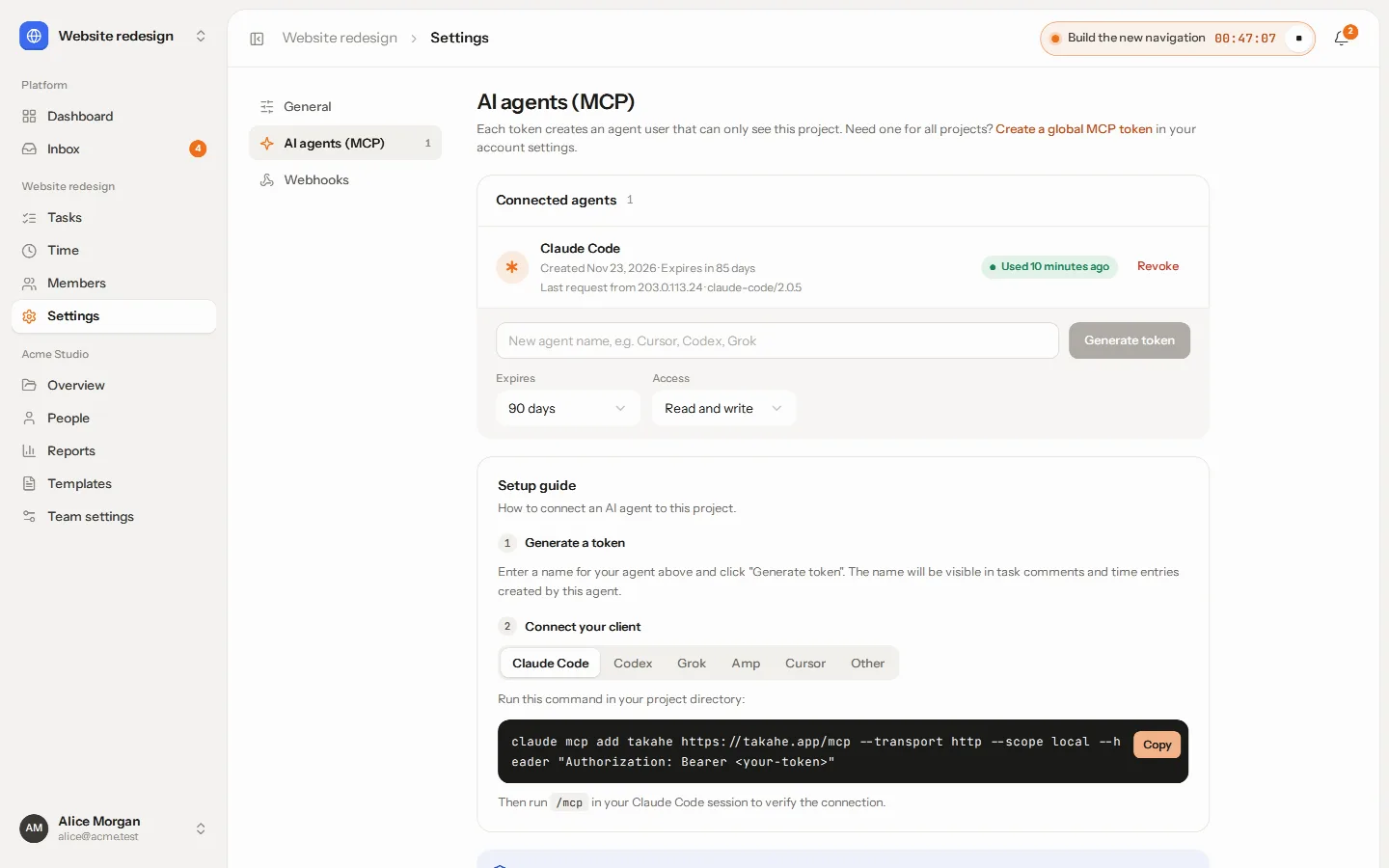
Connect in a minute
Generate a token in the project settings and copy the ready-made setup for Claude Code, Codex, Cursor, Grok, Amp or any other MCP client. The server speaks Streamable HTTP.
- A project token reaches one project and acts as its own agent
- A personal token acts as you, in all your teams or only some
- Revoke a token at any time
› Pick up WEB-9 and get going.

get-task-tool       WEB-9           ✓
start-timer-tool    WEB-9           ● running
  … code, tests, commit …
add-comment-tool    WEB-9           ✓
  “Done, the PR is waiting for review.”
update-task-tool    WEB-9 → Review  ✓
stop-timer-tool     1h 24m          ✓
It works like a teammate
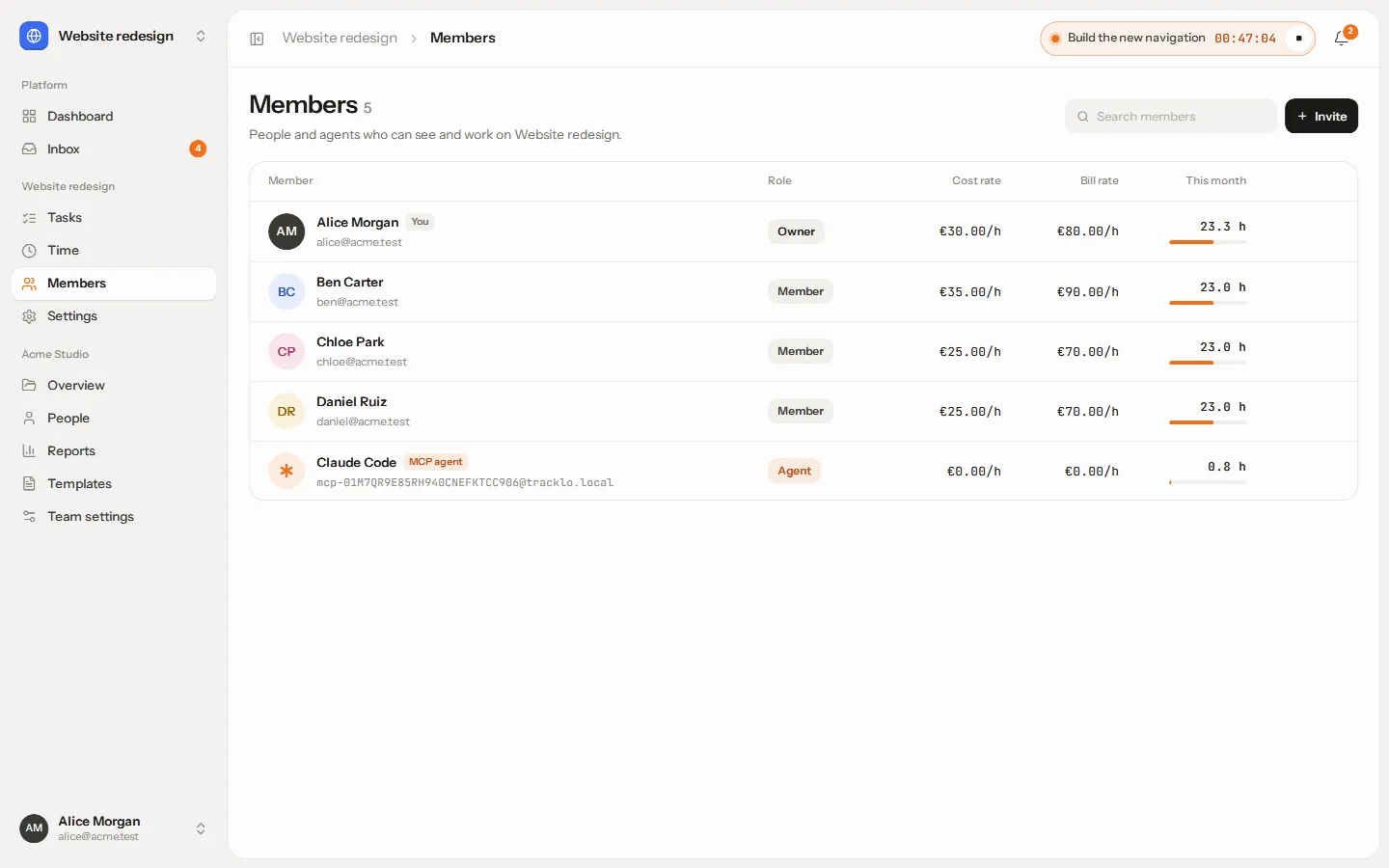
The agent reads tasks, comments and files. It creates tasks and subtasks, assigns them, moves them between lists, links them and writes comments with attachments. Everything it does is recorded under its name, marked “mcp”.
- Markdown the agent writes shows up formatted
- Agents are members of one project and never join the team
Its time counts too
The agent starts and stops its own timers, one per task, so the time AI spends on your project shows up on the Time page and in reports, next to people’s.
Read more in AI agents (MCP)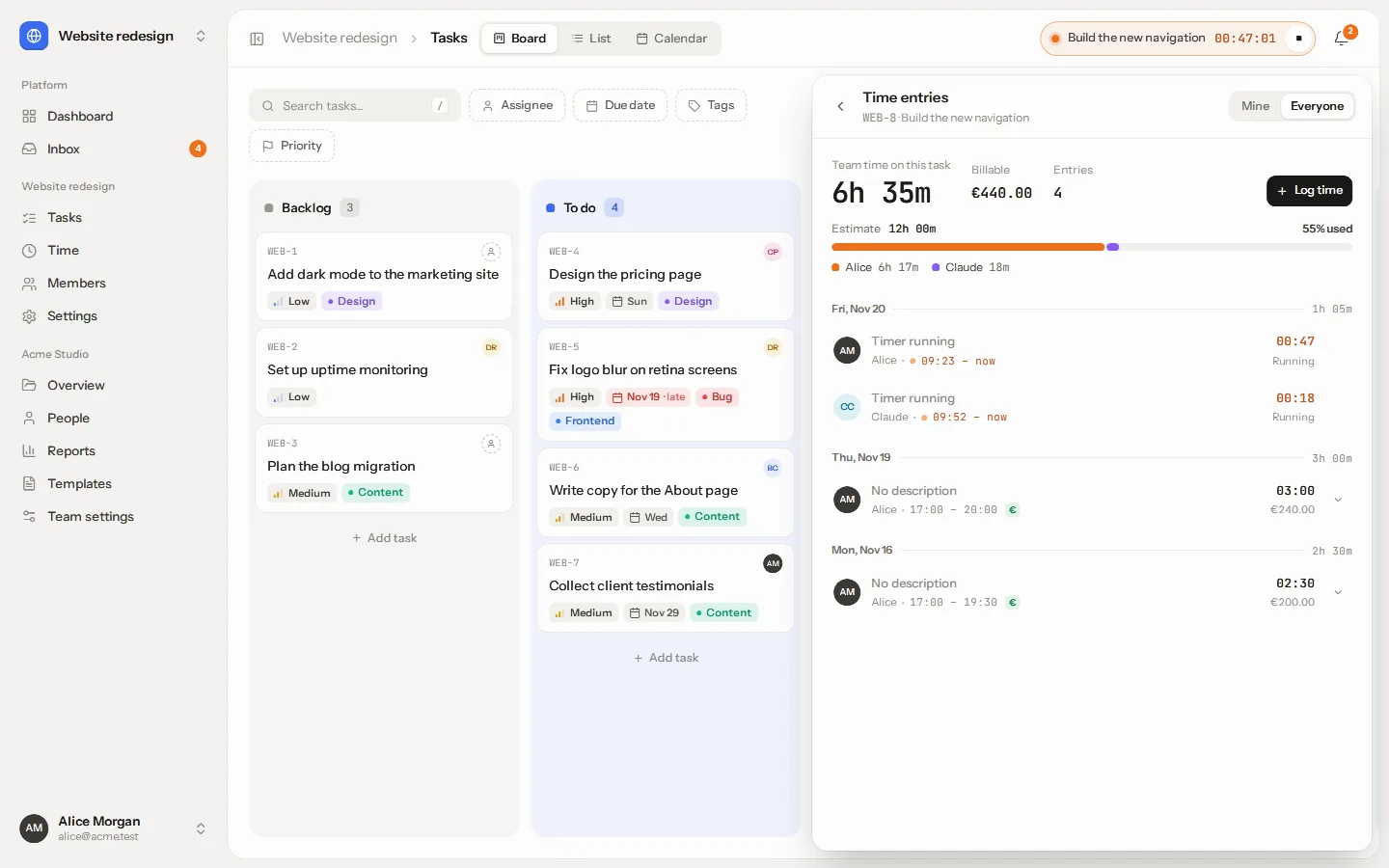
Safe by design
A project agent sees only its own project and never sees rates or profit. It can’t sign in to the web app, and it can never act as a person.
Read more in Roles and permissionsAnd there’s more
-
AI task breakdown
Split a task into subtasks with estimates in one click.
-
Docs for AI
The user guide as Markdown and llms.txt, for any assistant.
-
Files both ways
Agents read attachments and upload their own.
-
Linked tasks
Agents link blockers, related tasks and duplicates.
-
Webhooks
Push a project’s changes to your own automation.
-
Scoped tokens
One project, or your projects in chosen teams.
FAQ
Questions, answered
What is MCP?
The Model Context Protocol is an open standard that lets AI assistants use outside tools. Takahe’s MCP server gives an agent tools to read and update tasks, comments, files and timers.
Which AI clients work with Takahe?
Any client that supports MCP over Streamable HTTP. Takahe shows ready-made setup for Claude Code, Codex, Cursor, Grok and Amp.
Can an agent see other projects or money?
A project token reaches only its one project, and agents never see rates, cost or profit. A personal token acts as you and reaches only your projects.
How do I tell what the agent did?
A project agent has its own name and is marked “mcp”. Its comments, task changes, files and time entries are recorded under that name.
Stop guessing where the time went.
Create your account, set up your first project and track your first hour in a few minutes.
Already have an account? Log in