See whether each project makes money.
Takahe turns tracked time into cost, revenue and profit. Set what people cost and what you bill, give the project a budget, and watch it fill up while the work happens, not at the end of the month.
Already have an account? Log in
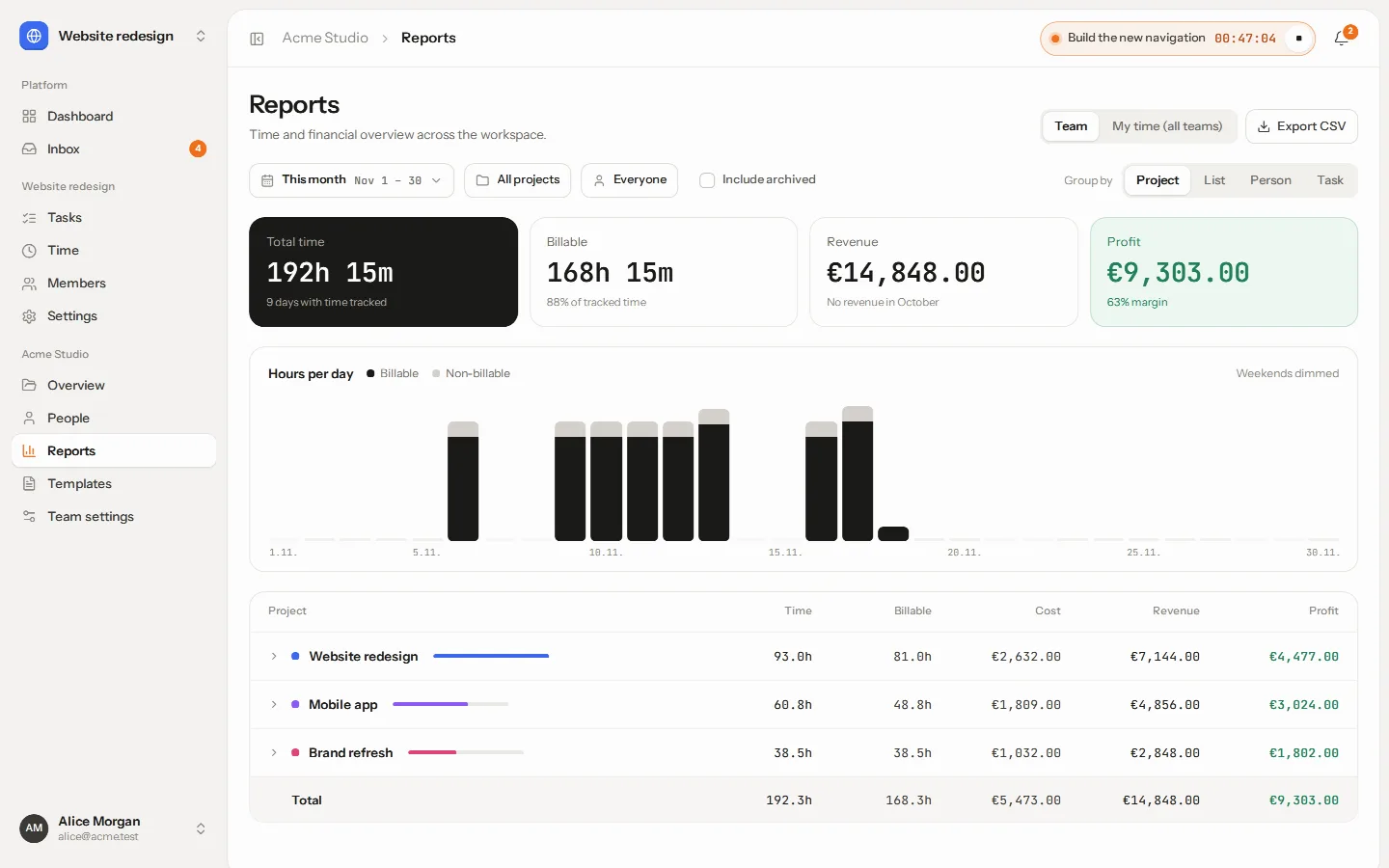
Two rates for every person
A cost rate is what an hour of someone’s time costs you. A bill rate is what you charge the client for it. Set the team’s default rates, then adjust them per project.
- The margin per hour shows while you edit the rates
- Each time entry keeps the rates it was tracked with
- Members see only their own rate and earnings
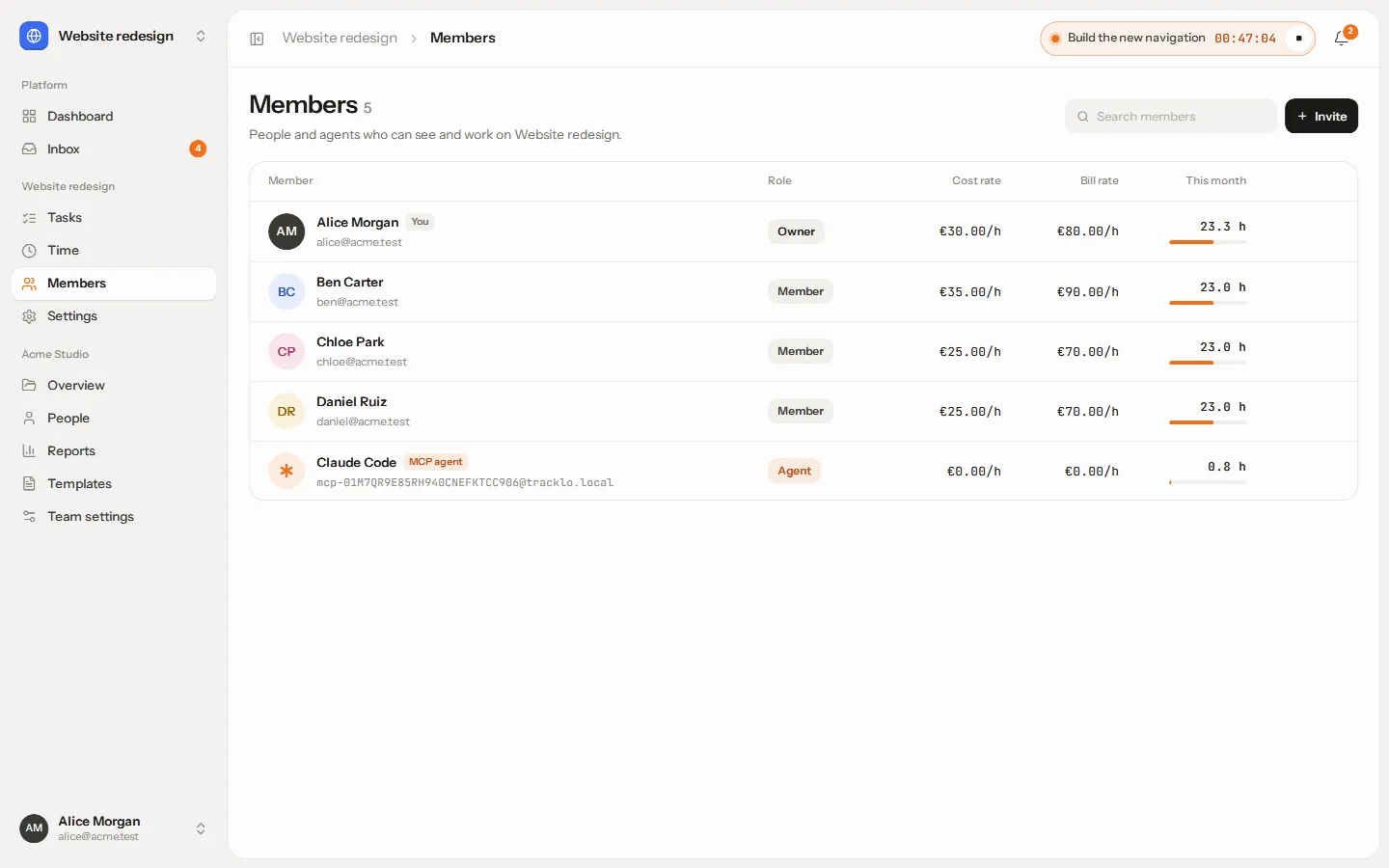
Budgets with early warnings
Give a project a budget in hours, in euros, or both. Takahe compares it with the tracked time and notifies the people who manage the project at 80% and again at 100%.
- The team overview shows every project’s hours, billing and budget
- Projects over budget are counted at the top
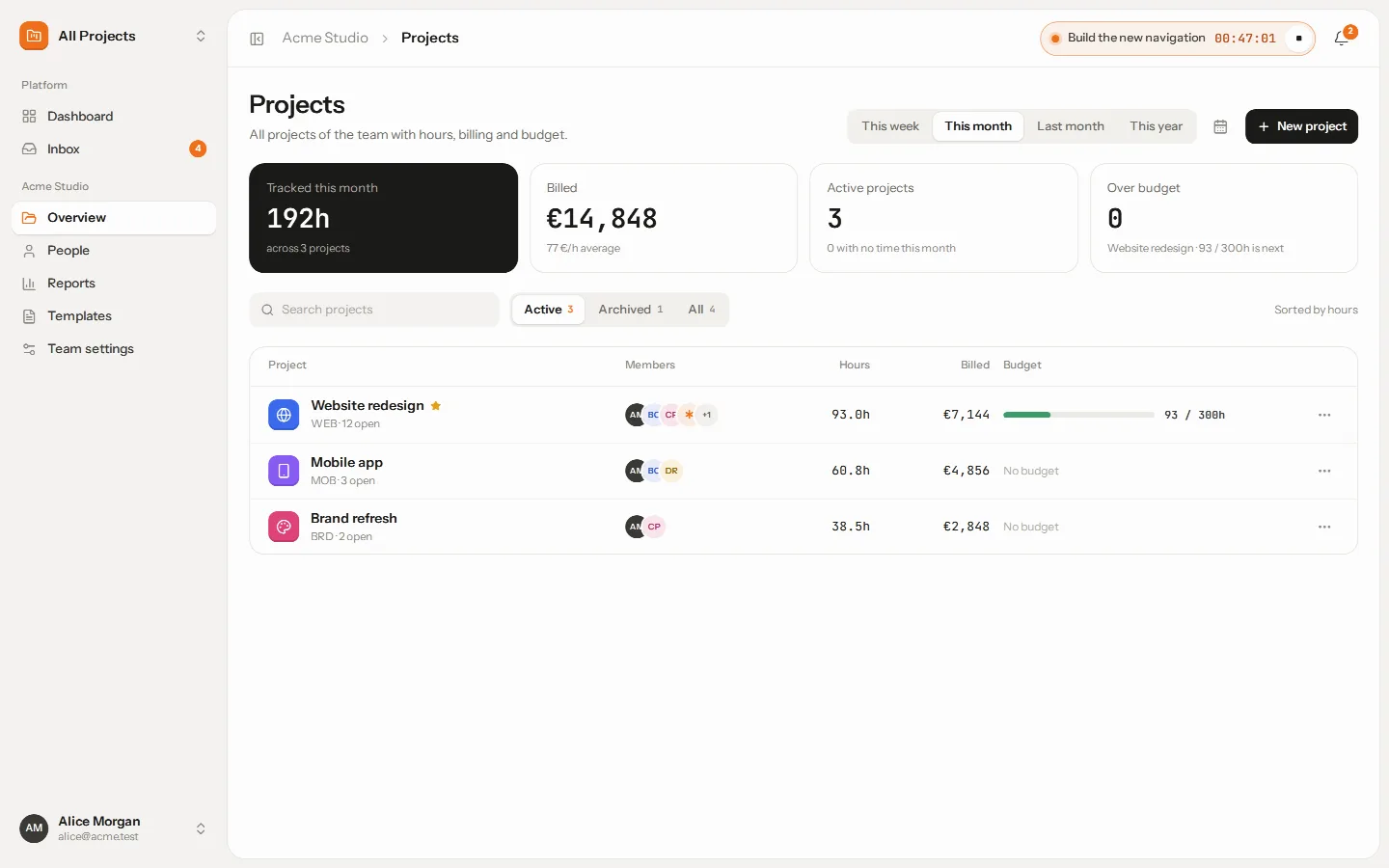
Reports without spreadsheets
Pick a period and group the time by project, list, person or task. You see time, billable hours, cost, revenue and profit, and export it all to CSV for your invoices.
- Switch between the whole team and your own time across teams
- Include archived projects when you need the full history
Money stays with the people who manage it
Rates, cost, revenue and budgets are visible only to a project’s owner and the owners and admins of its team. Members see their own time and earnings. AI agents never see money.
Read more in Roles and permissionsAnd there’s more
-
Team default rates
Set rates once for the team and adjust them per project.
-
Budget alerts
A notification at 80% and 100% of the budget.
-
Billable share
See how much of the time you can bill.
-
Hours per day
A chart of billable and non-billable time.
-
CSV export
Hand the numbers to your accountant or invoicing tool.
-
Private by default
Money only for those who manage the project.
FAQ
Questions, answered
How does Takahe calculate profit?
Revenue is the time multiplied by the bill rate on each entry, cost is the time multiplied by the cost rate, and profit is revenue minus cost.
What happens when a project goes over budget?
Takahe notifies everyone who manages the project when it reaches 80% and again 100% of its hours or amount budget. The team overview shows which projects are over budget.
Can I export time for invoicing?
Yes. Reports and each project’s Time page export the selected entries to CSV.
Do members see rates and profit?
No. Members see only their own time and their own earnings. Rates, cost, revenue, profit and budgets are for the project’s owner and the owners and admins of its team.
Learn more
Stop guessing where the time went.
Create your account, set up your first project and track your first hour in a few minutes.
Already have an account? Log in